Create print-ready business cards using a free online editor
SUPA helps you design professional business cards quickly and easily - no design experience required
Create a business card

Free business card templates
A vast library of templates will help you create professional-looking designs for your business with no special skills required.

Intuitive online software
Unlike other complex software, SUPA is a graphic design tool that requires no special skills and features a simple and accessible interface for everyone.

Built-in content libraries
Within the editor, you will find an extensive library of photos, images, and vector icons, all to help you create a great business card!

Export to high-quality PDF for print
SUPA has plenty of export options, including PDF - a standard file type for printing.
What can SUPA do?
With this simple editor, you can create business cards without any experience
Content libraries
The editor includes libraries of stock photos, videos, vector icons, illustrations, font sets, buttons, and lists
Smart scaling
The “smart scaling” tool automatically adjusts all graphic elements when you change the aspect ratio of your project
Team collaboration
You can easily share your creations with your colleagues, even if they don’t have a SUPA account
AI text generation
AI can generate marketing slogans, highlight your product’s features, or even write complete texts
Photo editing
Use photo editing tools to enhance your images
Change history
SUPA keeps the history of all edits so you can easily revert to an earlier version
Upload custom elements
You can upload elements to your design from your device, including images, videos, fonts, GIFs and Lottie animations
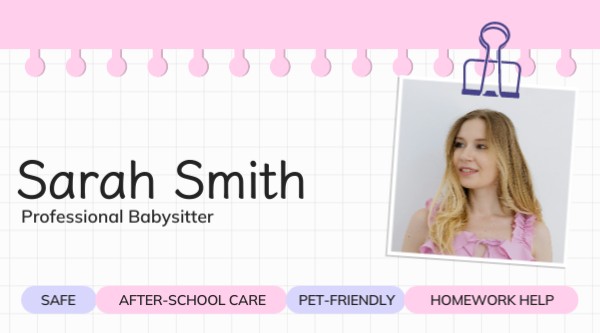
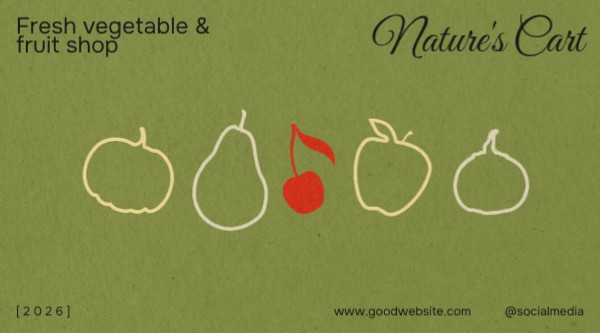
Choose from hundreds of business card templates
Find templates for any topic in our extensive library






















How to create a business card with SUPA?
A step-by-step guide on creating your business cards using SUPA software.
- 1
Sign up for SUPA and confirm your email
- 2
Click “Create” -> “Print” -> “Business card” and select one of the templates
- 3
Edit the template to fit your needs, including editing text and images
- 4
Export your design as a PDF. Now your designs are ready for printing!
FAQ
Can I create business cards using the free subscription?
Yes, you can. You won’t have access to premium assets, but you can create designs using elements available with a free subscription. You can also export your designs in multiple formats.
Can I use my own font in this editor?
Yes, you can upload fonts from your computer and even share them with your team.
Do I need to hire a designer to create a business card in SUPA?
No, this is exactly what our software is for - giving people who don’t have any design experience tools to create their own designs. Using our templates you can create business cards easily without having to hire a professional designer.
Can I use designs made in SUPA for commercial purposes?
Yes, all templates and assets are cleared for commercial use.
Common mistakes in designing a business card
Overloaded design
Too much text or too many visuals can make your business card feel cluttered. Keep it clean and simple.
Ignoring your brand identity
A business card should reflect your brand. Use signature fonts, colors, and graphic elements to maintain a brand style.
Wrong size
Don’t choose excessively small or large sizes for your business card. Keep the standard size and aspect ratio to make your business cards easy to print and store.
Low-quality images
When adding an image to your business card, make sure it has a high resolution. Using low resolution images may lead to an unprofessional-looking design.
Poor text formatting
Carefully format all text fields on your business card. Pay attention to font size, spacing, and alignment to keep your text readable.
Spelling and grammar issues
Don’t forget to check your design for spelling mistakes. Even a single misspelled word can leave a negative impression.
Too much information
Don’t try to fit every bit of information about your business into a single design. Leave some space for contacts and main information.
No emphasis
Put visual emphasis on key elements like titles and contact details to ensure they stand out.